See the neighborhood, not a spreadsheet.
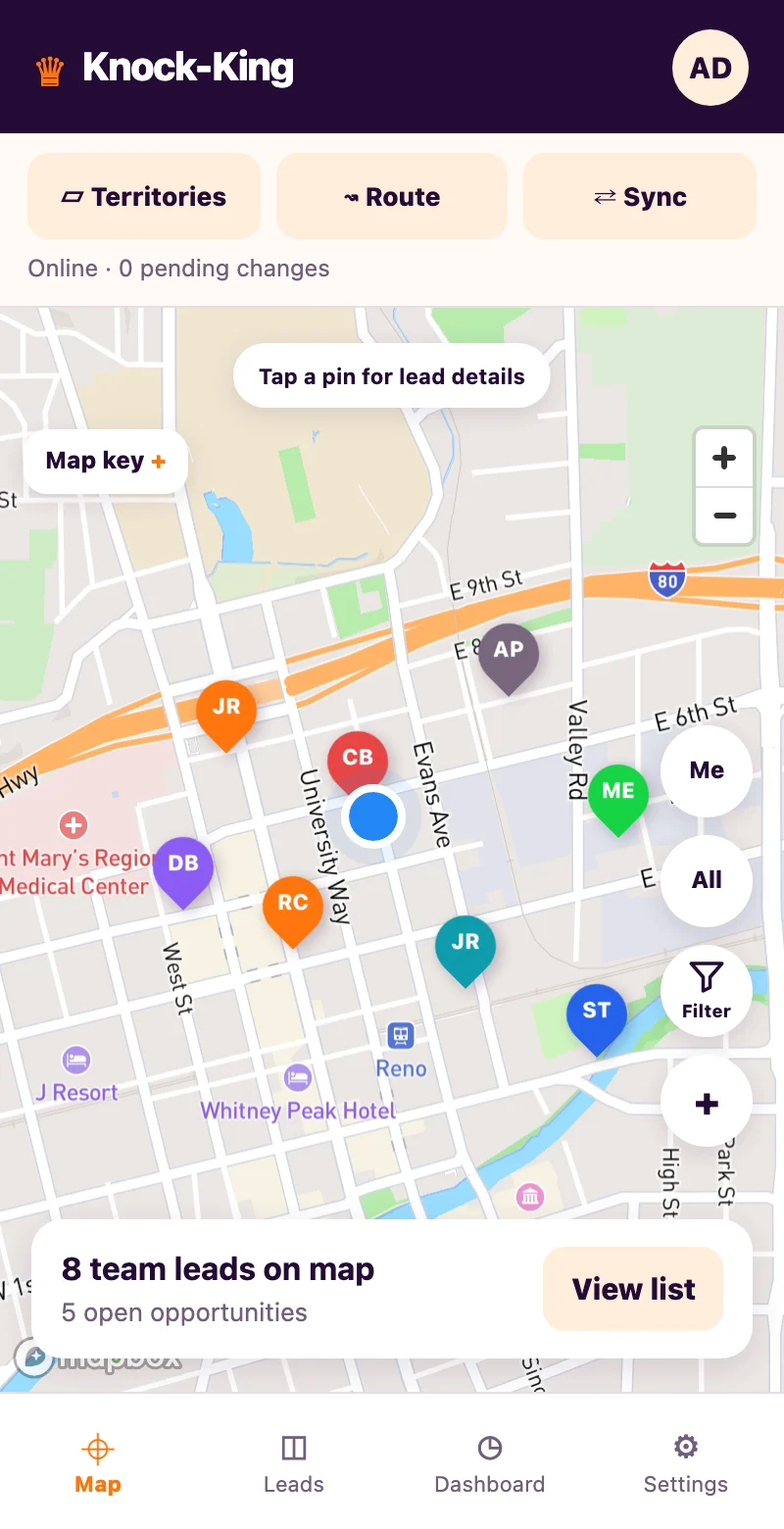
Find your leads on a map. Use color-coded dispositions and filters to focus on warm leads, appointments, or doors that need another visit.
Built for the next door
Map your leads. Remember every conversation. Give your team a clear next step—without a big software bill.
USD · Monthly billing · Applicable tax extra
Card required for the trial. Cancel before it ends to avoid a subscription charge.
Less admin. More conversations.
For independent reps and growing door-to-door teams. Keep your leads, visit history, and follow-ups together—right where the work happens.
Find your leads on a map. Use color-coded dispositions and filters to focus on warm leads, appointments, or doors that need another visit.
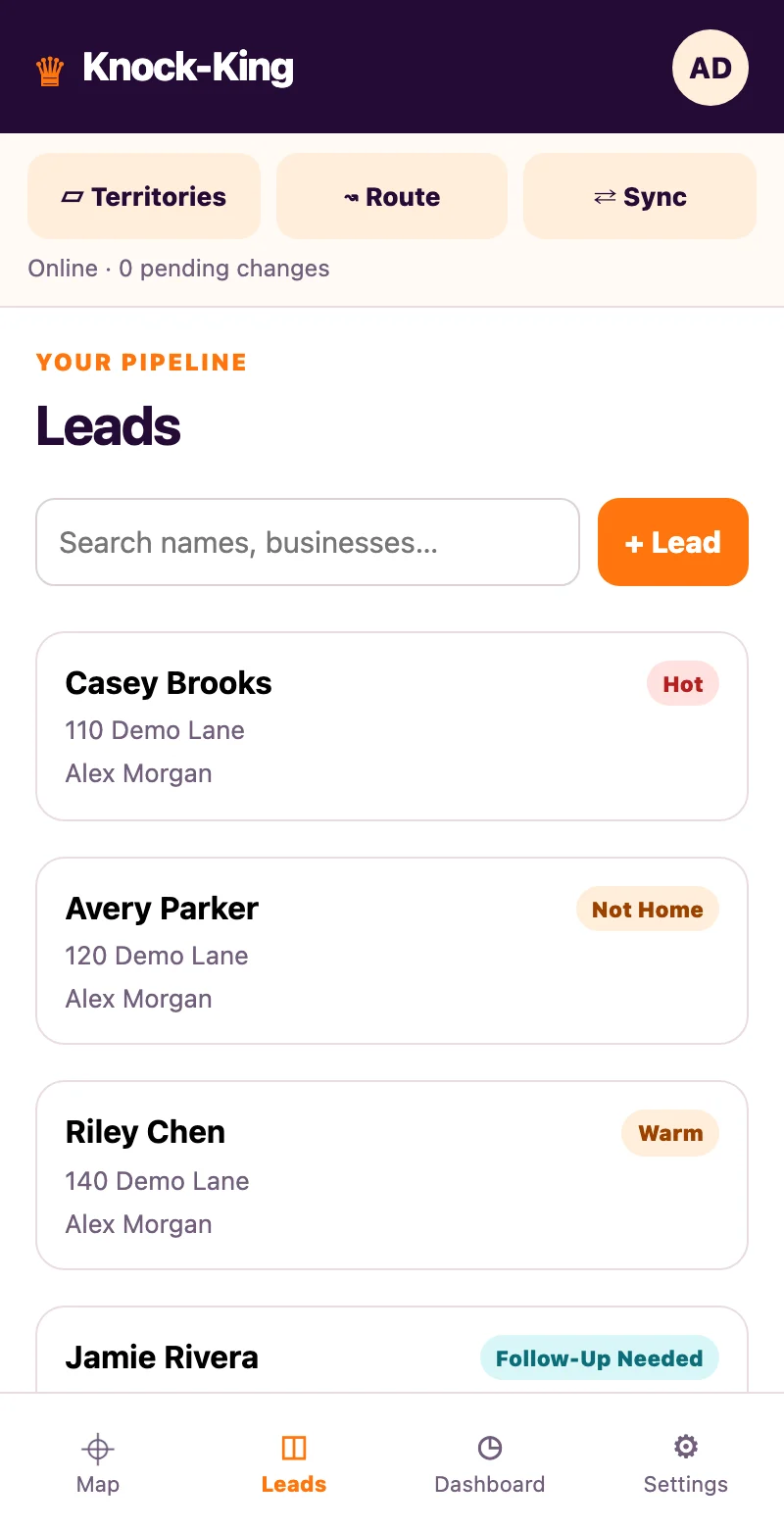
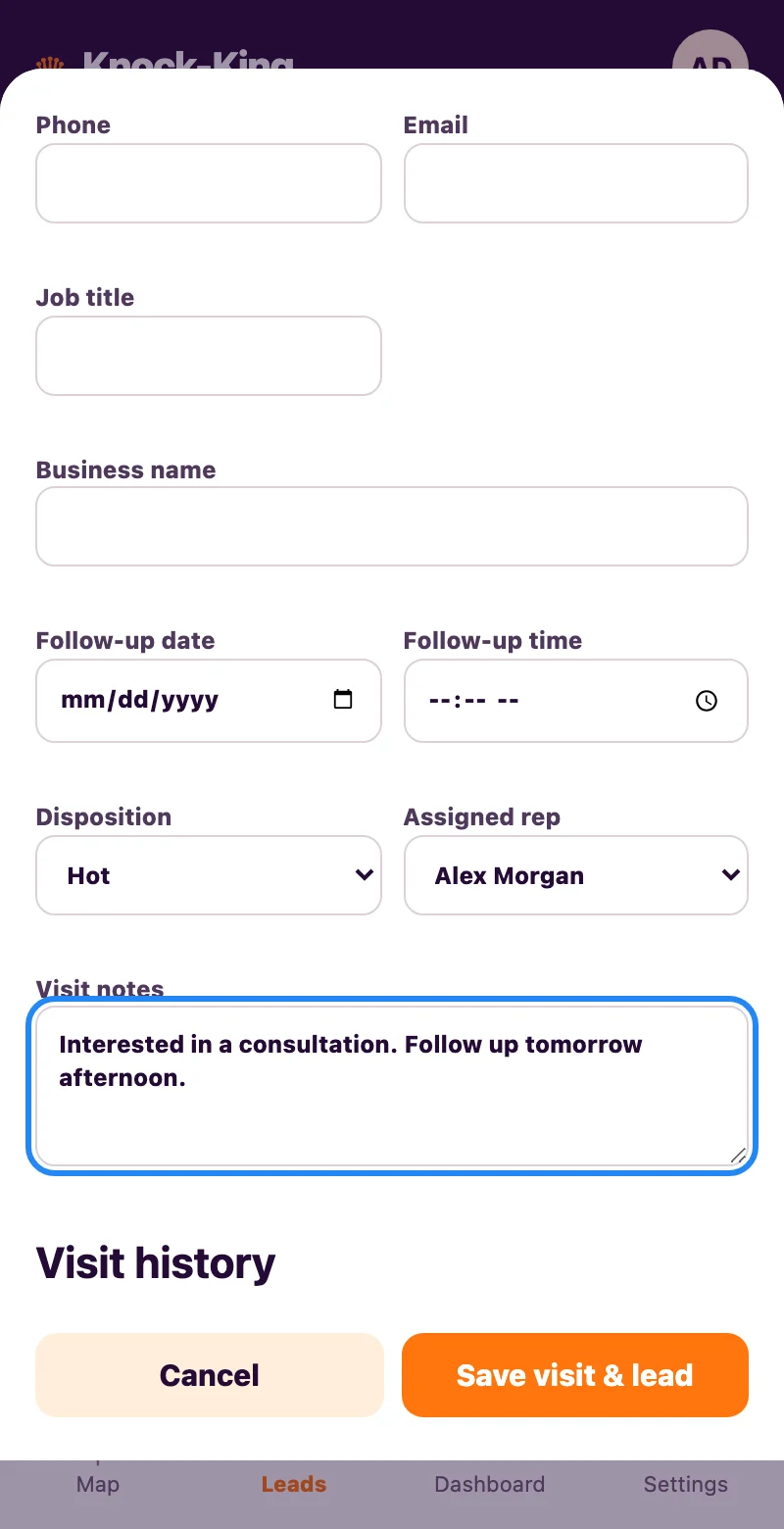
Keep contact details, visit notes, outcomes, and follow-up dates in one lead profile. Spend less time remembering the last conversation.
Assign leads to reps, set required fields, and choose whether reps see their own leads or the wider team list. Administrators can view company leads.
Import a CSV of existing leads. Export contact details, assignments, follow-ups, and visit history for your CRM. No proprietary data format.
A look inside Knock-King
78 seconds. Real app footage.
Captions included. No sound needed.
Knock-King starts with a map of your leads. Filter by disposition, open a lead, record a visit, and set a follow-up. The preview then demonstrates drawing and assigning territories, suggesting a multi-stop order, and saving lead edits offline before syncing on reconnect. The route order uses straight-line distance, not traffic or road optimization; map tiles need internet. Finally, the app shows its CSV import/export controls and downloads a lead export for use with a CRM.
Simple from the first knock
Add a lead on the map or import your existing list. Coordinates—or a usable address—put your leads in the right place.
Record the outcome, the useful details, and the next action while the conversation is still fresh.
Review your follow-ups, filter the map, and keep your team’s lead information organized.
Keep the overhead low
One simple monthly price for every active user. Your administrator is the first seat; add reps as your team grows.
One company. One 30-day trial.
Reps added during your trial share the same end date. Adding a rep never restarts the clock.
THE KNOCK-KING PLAN
Start with 30 days free
Include yourself and every active rep.
Card required. Your subscription renews monthly after the trial unless canceled. Adding seats after the trial may create a prorated charge.
A look at what’s next
See these in the walkthrough. They are still being tested and are not a promise of current availability.
Draw an area, move its corners, and assign reps. Boundaries guide the team; they do not automatically reassign leads.
Choose leads, get a suggested stop order, and open Google Maps directions. Order is based on straight-line distance.
Keep lead edits on your device, then sync while the app is open after reconnecting. Map tiles still need internet.
In your pocket. Ready to go.
Knock-King works in your browser. Add a shortcut to your Home Screen for one-tap access—no app-store download needed.
Open Knock-KingGood questions. Straight answers.
Something else on your mind?
Ask us a question
Knock-King is $19 USD per active user per month, plus applicable tax. The administrator counts as one seat. An administrator plus five reps is six seats, or $114/month after the trial.
Eligible new companies get one 30-day trial when their subscription begins. A payment method is required. The subscription renews monthly afterward unless canceled before the trial ends. Reps added during the trial share the company’s existing end date; they do not get another 30 days.
Yes. Administrators can import lead CSV files and export details such as contact information, assignments, follow-ups, and visit history. Use coordinates or a complete street address with city/state or ZIP for map placement. In HubSpot, Salesforce, or another CRM, use its CSV import tool and map the columns. This is file-based transfer, not an automatic CRM integration.
Your administrator controls lead visibility. Reps can see their assigned leads, or the wider company list when sharing is enabled. Administrators can view company leads and manage assignments.
Yes. Knock-King is designed for mobile browsers and also works in a desktop browser. You can add a Home Screen shortcut for convenient access. Maps and address lookup require internet access.
These features are in preview and are shown with that label in the walkthrough. They are still being tested and are not yet generally available. Do not rely on them for a purchase decision until they are released.
Independent door-to-door reps and field sales teams that want straightforward lead mapping, visit tracking, follow-ups, and team visibility at a simple per-user price.
Your next door is waiting
$19 per active user per month.
Start with a shared 30-day company trial.
Card required · Applicable tax extra · Cancel before the trial ends to avoid a subscription charge